iOptron CEM120 Mount review
Description of problem: One of the most important pieces of telescope equipment is the mount. Most astronomers agree that the mount is as important as the telescope.
Without a stable mount it is very difficult to observe deep sky objects. A stable mount with very good tracking is absolutley required for astrophotography.
This is going to be a brief review. The CEM120 has a lot of capability and a lot of features. I am going to focus on the basic operation.
Description of equipment: The iOptron CEM120 is a telescope mount that offers the benefits of a “center balance” design: stability, accuracy, and smooth mechanical operation,
while capable of carrying a payload up to 115 lbs (52 kg).
The “center balance” design’s natural stability is due to its focusing the mount along with payloads weight directly over the center of the pier or tripod.
iOptron CEM120 Features:
Center-balanced equatorial mount (CEM) for maximum payload with natural stability
Observatory astrophotography mount ideal for both visual and Astro-photographers
Payload of 115 lbs (52 kg) with the mount weight of 57 lbs (26 kg)
Easy to use and reliable gear clutches
Precision altitude and azimuth adjustment.
Precision stepper motor with 0.07 arcsec accuracy for precise GOTO and accurate tracking
Polar alignment routine for those who can't see the Pole Star
Go2Nova® 8410 controller with Advanced GOTONOVA® GOTO Technology with built in heater
High precision tracking with low periodic error (PE)<±3.5 arcsec
Permanent periodic error correction (PPEC)
32-channel Global Positioning System (GPS)
Built-in WiFi and LAN for remote operation
Integrated ST-4 autoguiding port
Advanced cable management system with more choices
Spring loaded, individual adjustable Losmandy saddle
iOptron provides software (iOptron Commander) to control all aspects of the CEM120 mount.
There are three different CEM120 versions. The version I have is the basic model with no encoders. There is a version with one encoder (RA axis) and one with an encoder for both axis.
The CEM120EC2 utilizes two high resolution encoders, one on each axis. The two encoders enable the mount to point to an object with a simple push-to by releasing the gear switches, when the mount is powered on.
Fixed home sensors on each axis, allow the mount to save alignment models after power off to be used on future nights.
CEM120 is ASCOM compliant so it can be utilzed with Sequence Generator Pro.
How used: Of course the first thing I had to do is attach the CEM120 mount to my 12 inch permanent concrete pier. It is important to attach the mount to the pier such that it is close to aligning close to North since the mount has limited adjustments.
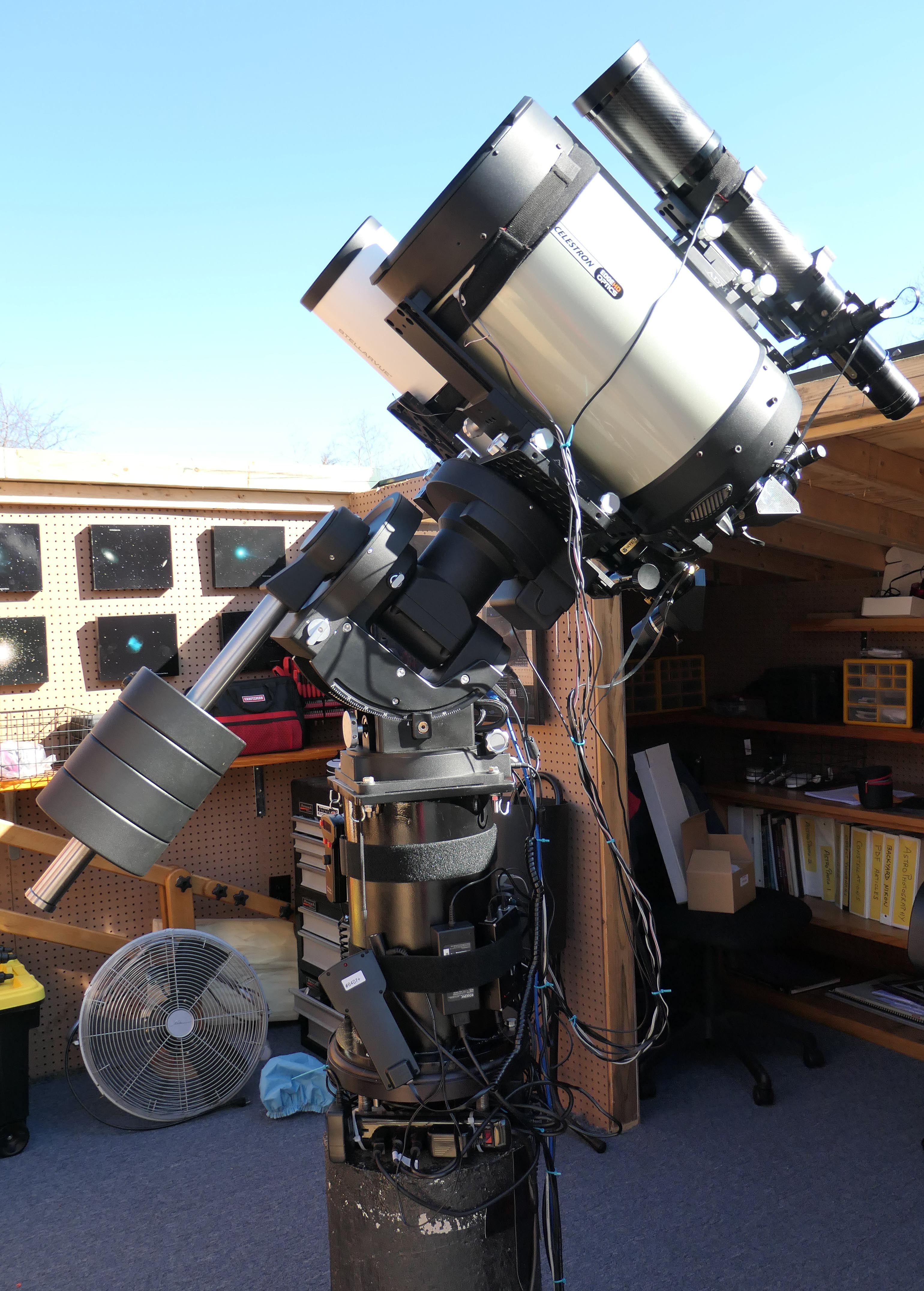
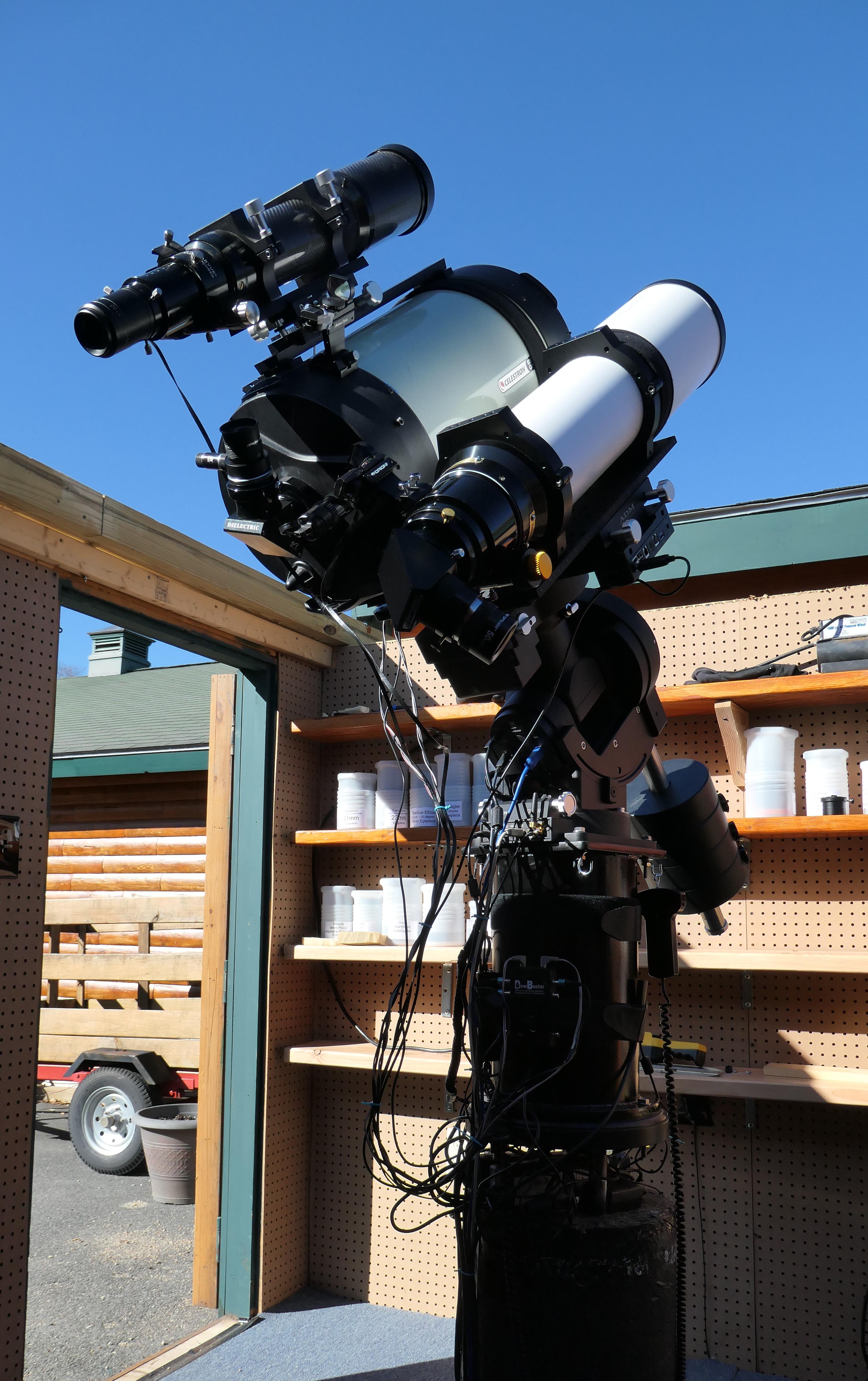
My mount is configured as a dual mount system. To accomplish this you have to rotate the doveltail saddle 90 degrees and then attach a dual dovetail.
I then mounted my Celestron Edge 11 inch SCT on one side of the dual dovetail, and my Stellarvue SVX130 refractor on the other side of the dovetail.
I then mounted my Stellarvue SV90 refractor onto the 11 inch Celestron. This is a lot of weight but the CEM120 handles it with ease.
After attaching the counter weight shaft and counter weights, the mount has to be balanced in both directions.
My CEM120 always has the hand control connected and the mount connected to my computer via a USB cable. The mount also always has the GPS antenna connected.
If the mount has been move or bumped I then select 'Search Zero Position' and then follow the imstructions.
I always set the mount for sidereal tracking since my main focus is deep sky obejcts vice planetary objects.
Operation:
When I am having an observing session I power-on the mount, then I select 'Zero Position' from the hand control. Then I select 'Go To Zero Position'.
I then use the hand control to perform a 3 star alignment. This aligns the scope such that subsequent searches for objects are performed accurately.
When I am having an imaging session I power-on the mount, then I select 'Zero Position' from the hand control. Then I select 'Go To Zero Position'.
I then use the hand control to perform a 1 star alignment. I only do this to confirm that the mount is opreating properly.
If I am imaging I always run the iOptron Commander software to mount the scope so that Sequence Generator Pro and the autoguiding software (PHD2) recognize the mount.
I set the meridian flip to 'On' and set it to flip 5 degrees after the meridian. I do this since I set meridian flip in Sequence Generator Pro to flip at the meridian and I want SGP to actually control the flip.
My CEM120 mount has worked very well for me over the past few years. I currently mostly do astrophotography and my mount guiding accuracy is always around 0.5 to 0.75 arcseconds RMS.
At the end of the session I again use the hand control to return the mount to the 'Zero Position'. I then use the hand control to 'Park' the mount.
Support: I have had to contact iOptron support on a few occasions. When I first received my CEM120 I found that the Losmandy dovetail that I had did not fit in the dovetail saddle.
I ended up havng to send both the CEM120 saddle and my Losmandy dovetail back to iOptron.
They send me back a saddle which fit the Losmandy dovetail. I contacted iOptron on a few other occasions and found their response to be slow and not always helpful. There is a very active users group which is helpful.
Click Below Image(s) for Full Size:
iOptron CEM120 Mount
 Click to Return to Home Page