Pegasus Falcon Rotator review
Description of problem: There are many times when it is important to adjust the angle of the camera in order to properly frame your image.
This happens when you are trying to image a group of galaxies and you want to make sure all of the galaxies are in the frame, when you are imaging a large nebula and you want to make sure that all of the nebula is in the frame,
or even when you are imaging a galaxy and you want the galaxy to be at a particular angle.
This could be done through trial-and-error adjustment of the camera angle, but this takes time and is difficult with dim objects.
Utilizing a computer controlled rotator solves that problem
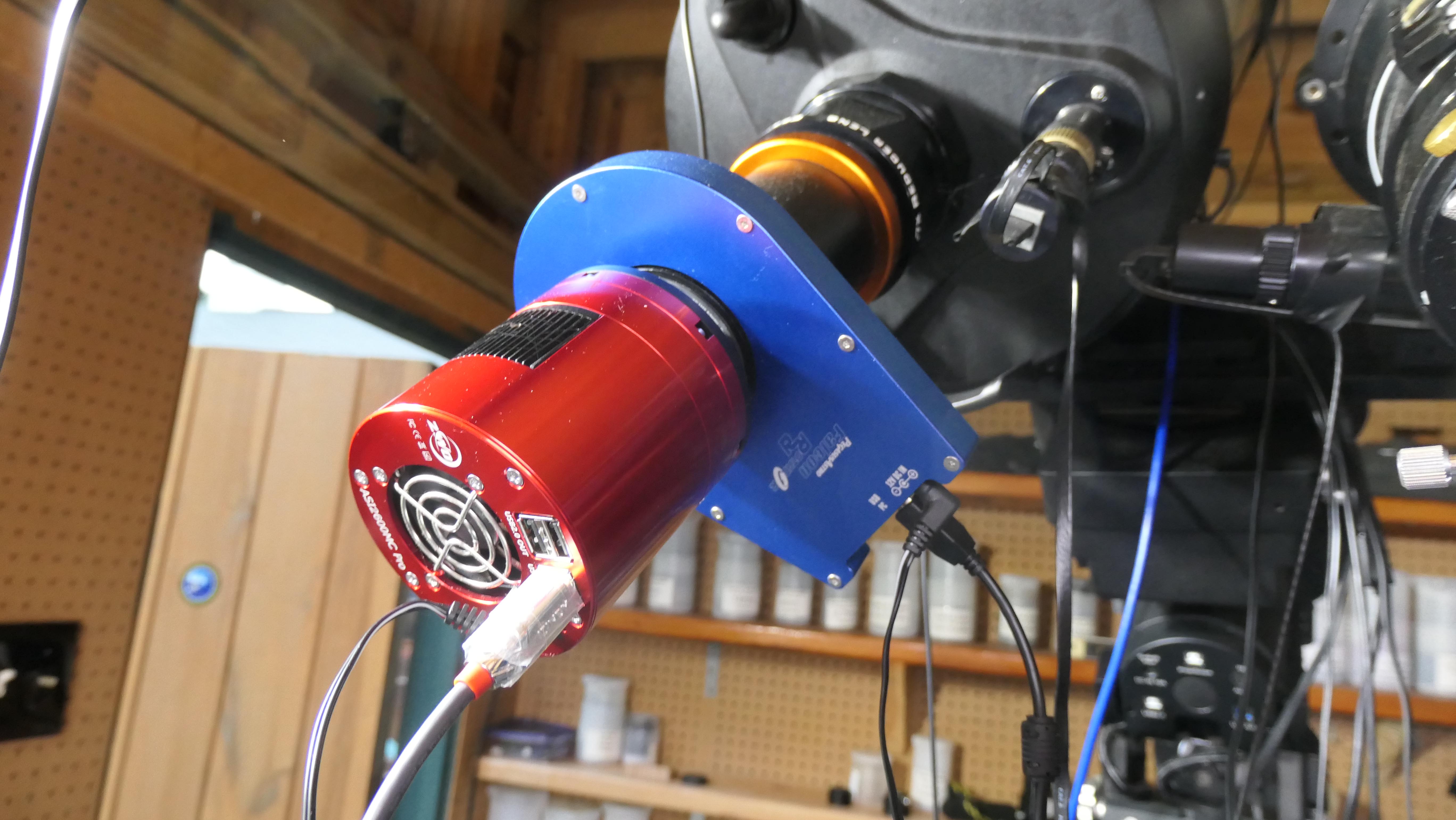
Description of equipment: The Pegasus Falcon rotator is an electrical/mechanical device which attaches between your camera and your telescope.
The rotator is connected to 12 VDC power and a USB port.
The Falcon rotator comes with software (Unity Platform) that controls the angle of the rotator.
It is ASCOM compliant so it can be utilzed with Sequence Generator Pro.
How used: Attach the rotator between your camera and your telescope.
Attach 12 VDC power and USB connection.
The 'Unity Platform' software then controls the angle of the rotator.
Since the rotator is placed between the camera and the telescope, you have to account for it in back-focus distance (19mm).
Operation: I utilize the Falcon rotator whenever I am imaging, it is always in my imaging train.
I use Sequence Generato Pro to manage all of my equipment.
In SGP, simply go to the tab for rotator, and select the Falcon rotator. Then when you perform a platesolve, simply adjust the angle of the platesolve, and SGP will command the rotator to the appropriate angle.
I always set the angle error to 1 deg. During the platesolve operation this is always achieved on the 2nd or 3rd try depending upon far far off the platesolve is from the exact location and angle.
Support: I have only needed technical support from Pegasus on one occasion when Sequence Generator Pro changed the way it interacted with rotators in order to be compliant with new ASCOM protocols.
I found Pegasus to be very responsive and made appropriate changes to their software within days of my request.
It should also be noted that Pegasus routinely updates its 'Unity Platform' software and notifies all users of the updates. Also, there is a new version Falcom rotator v2 which only requires a USB connection.
Click Below Image(s) for Full Size:
Pegasus Falcon Rotator
 Click to Return to Home Page